Lenovo Yoga Slim 7i Gen 9 Aura Edition Review: Empowering Creators with AI-Powered Portability and Precision
As a content creator constantly juggling photo and video edits, video rendering, and graphic design on the go, finding a laptop that balances power, portability, and visual fidelity is no small feat. Enter the Lenovo Yoga Slim 7i Gen 9 Aura Edition (15-inch Intel), a sleek machine that promises to elevate creative workflows with its
Lenovo Yoga Slim 7i Gen 9 Aura Edition Review: Empowering Creators with AI-Powered Portability and Precision
As a content creator constantly juggling photo and video edits, video rendering, and graphic design on the go, finding a laptop that balances power, portability, and visual fidelity is no small feat. Enter the Lenovo Yoga Slim 7i Gen 9 Aura Edition (15-inch Intel), a sleek machine that promises to elevate creative workflows with its AI enhancements, vibrant display, and lightweight design.
Launched as part of Lenovo’s push into AI-fuelled computing, this Copilot+ PC leverages Intel’s Lunar Lake architecture to deliver seamless performance for creators. Priced starting around R32 000, it’s positioned as a premium yet accessible option for professionals needing a reliable daily driver. After spending time with it—drawing from hands-on insights and benchmarks—this review explores why it stands out from a creator’s lens.
Design and Build: Lightweight Versatility for On-the-Move Creation
Weighing just 1.53kg (about 3.37lbs) and measuring a slim 13.9mm thick, the Yoga Slim 7i Aura Edition feels tailor-made for creators who travel light. Its aluminum chassis, finished in a subtle Luna Gray, exudes premium quality with MIL-STD-810H durability certification, ensuring it withstands the rigors of cafe hops or field shoots.
The 360-degree hinge allows for tent, tablet, or stand modes, ideal for sketching concepts with a stylus (sold separately) or reviewing edits in collaborative settings. Ports are thoughtfully placed: two Thunderbolt 4 USB-C for fast data transfers and charging, a USB-A 3.2 Gen 1 for legacy devices, HDMI 2.1 for external monitors, and a 3.5mm audio jack. This connectivity supports multi-monitor setups essential for video editors expanding their canvas.
From a build perspective, the keyboard offers satisfying travel with backlighting, making late-night scriptwriting sessions comfortable. The large glass touchpad is responsive, though some users note occasional bugs in early units—nothing a firmware update couldn’t fix. The 1080p IR webcam with e-shutter provides decent video calls, but for professional streaming or vlogs, an external camera might be preferable due to average low-light performance.
Display: A Canvas for Color-Accurate Creativity
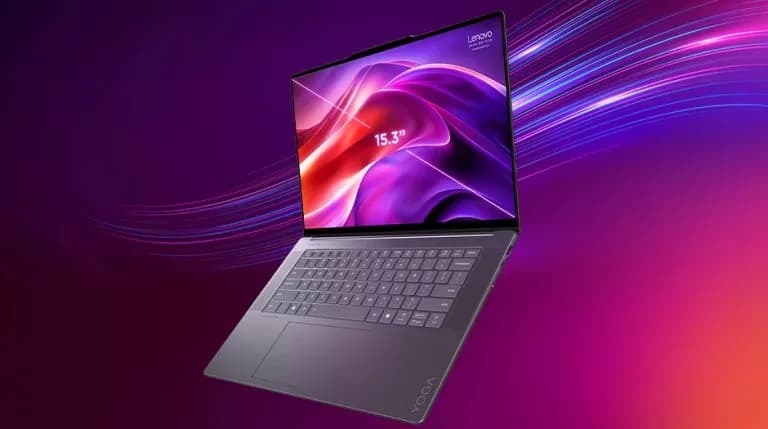
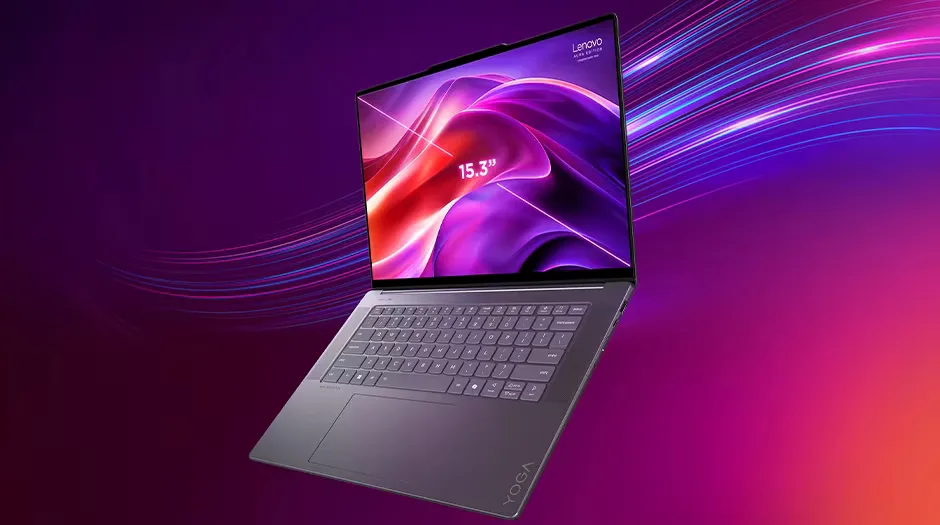
The star of the show for any creator is the 15.3-inch 2.8K (2880 x 1800) IPS touchscreen. With a 120Hz refresh rate, 500 nits brightness, and 100% coverage of DCI-P3 and sRGB color gamuts, it’s a dream for photo and video work. Dolby Vision HDR support brings out vivid contrasts in 4K footage, while the anti-glare coating minimizes reflections during outdoor edits. In Adobe Photoshop or Lightroom, colors pop with accuracy—calibrated for professional-grade output. The 16:10 aspect ratio provides extra vertical space for timelines in Premiere Pro, and touch input speeds up intuitive adjustments.
Compared to smaller screens on ultrabooks, this larger panel enhances multitasking without sacrificing portability. Eyesafe and TÜV Low Blue Light certifications reduce strain during marathon sessions, a boon for graphic designers pushing deadlines.
Specifications Table
| Feature | Specification |
|---|---|
| Display | 15.3-inch 2.8K (2880 x 1800) IPS touchscreen, 120Hz, 500 nits, 100% DCI-P3/sRGB, Dolby Vision HDR |
| Processor | Intel Core Ultra 7 256V/258V (Lunar Lake) |
| Graphics | Intel Arc 140V integrated |
| NPU | Up to 47 TOPS for AI tasks |
| RAM | 16GB or 32GB LPDDR5X-8533 (on-package) |
| Storage | 512GB or 1TB M.2 PCIe Gen4 SSD |
| Battery | 70Wh, up to 20+ hours light use |
| Ports | 2x Thunderbolt 4, 1x USB-A 3.2 Gen1, HDMI 2.1, 3.5mm jack |
| Camera | 1080p IR with e-shutter |
| Audio | Quad speakers with Dolby Atmos |
| Weight/Dimensions | 1.53kg / 343.8 x 235.4 x 13.9mm |
| OS | Windows 11 Home |
| Price (Starting) | ~$1,299 (may vary by region) |
Performance and AI: Seamless Workflows with Neural Boost
Powered by Intel’s Core Ultra 7 Series 2 processor, the Yoga Slim 7i handles creative demands effortlessly. With up to 8 cores, the CPU zips through multi-layered Photoshop files or 4K video exports in DaVinci Resolve. The integrated Arc 140V graphics provide a step up for light 3D modeling or GPU-accelerated effects, though heavy rendering might benefit from an eGPU via Thunderbolt.
The standout is the NPU delivering over 40 TOPS (up to 47), enabling AI features like Windows Studio Effects for background blur in video calls or Auto Framing in Teams—handy for content creators filming tutorials. Aura Edition’s Smart Modes, co-engineered with Intel, include Attention Mode to dim the screen when you look away, saving battery, and Wellness reminders for posture breaks. For AI-driven creation, tools like Cocreator in Paint or Live Captions accelerate ideation and subtitling. In benchmarks, it outperforms previous-gen Intel chips in efficiency, running cool under load. However, some AI modes feel gimmicky rather than transformative, with real value in background tasks like noise reduction in audio editing.
Battery Life and Portability: All-Day Creation Without Compromise
With a 70Wh battery, this laptop delivers positively professional endurance, with up to 20 hours on light tasks like browsing or writing, and 10+ hours for intensive editing with mixed AI use. Rapid Charge Express lifts it to 80% in an hour via the 65W USB-C adapter. For creators, this means untethered sessions at co-working spaces or while travelling without the need to hunt for power outlets or lugging out power-banks. Wi-Fi 7 and Bluetooth 5.4 ensure fast, stable connections for cloud syncing large files.
Quad speakers with Dolby Atmos provide immersive audio, rivaling dedicated monitors for podcast mixing or music production—bass-heavy and clear, per user feedback.
Pros, Cons, and Verdict
Pros: Exceptional display for colour work, long battery life, lightweight build, powerful NPU for AI enhancements, solid connectivity.
Cons: AI Smart Modes can be underwhelming, average webcam, and non-upgradeable RAM.
In conclusion, the Lenovo Yoga Slim 7i Gen 9 Aura Edition is a versatile powerhouse for creators seeking a large, clear screen in a portable package. Its AI capabilities streamline workflows, while the NPU’s 47 TOPS ensures future-proofing for emerging tools. If you’re a photographer, videographer, or designer in 2026, this laptop bridges mobility and might admirably—highly recommended for those prioritizing visual and AI-driven creation over raw gaming power. (Word count: 792)